Permissions Instructions
1. Invite
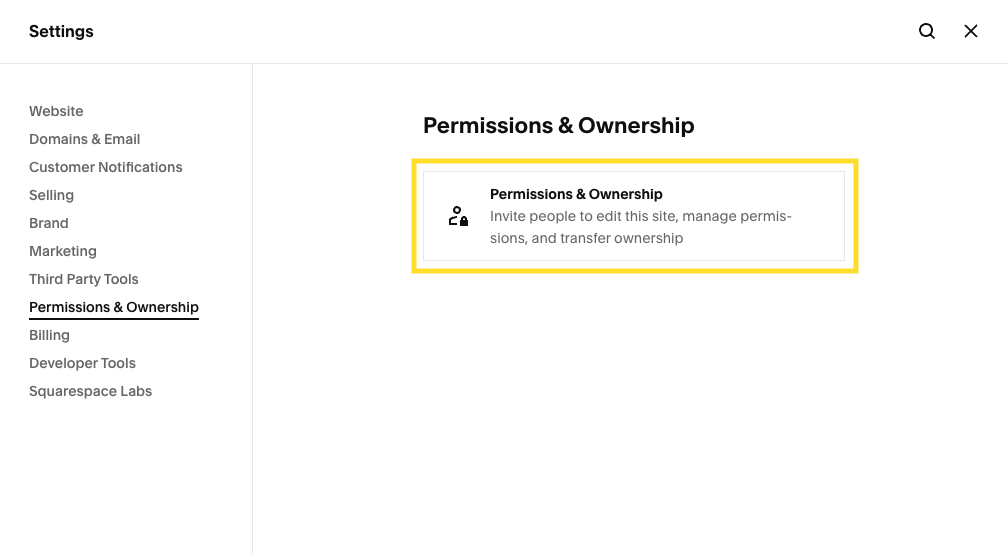
Click on the cog icon at the bottom of your Squarespace site’s dashboard, and head over to Settings > Permissions & Ownership > Permissions & Ownership.
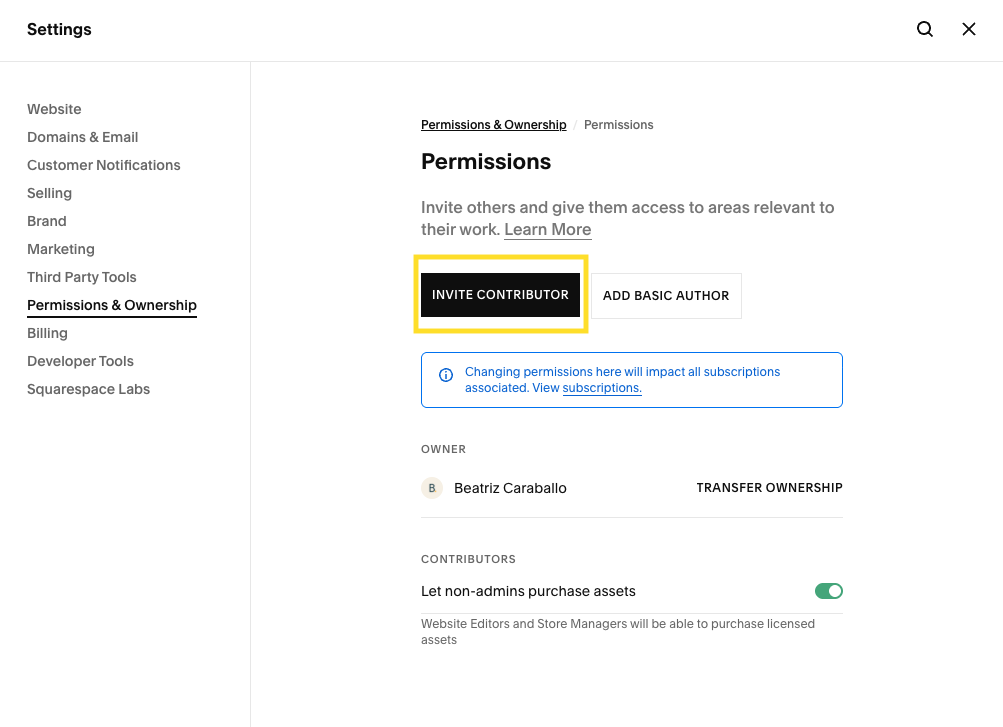
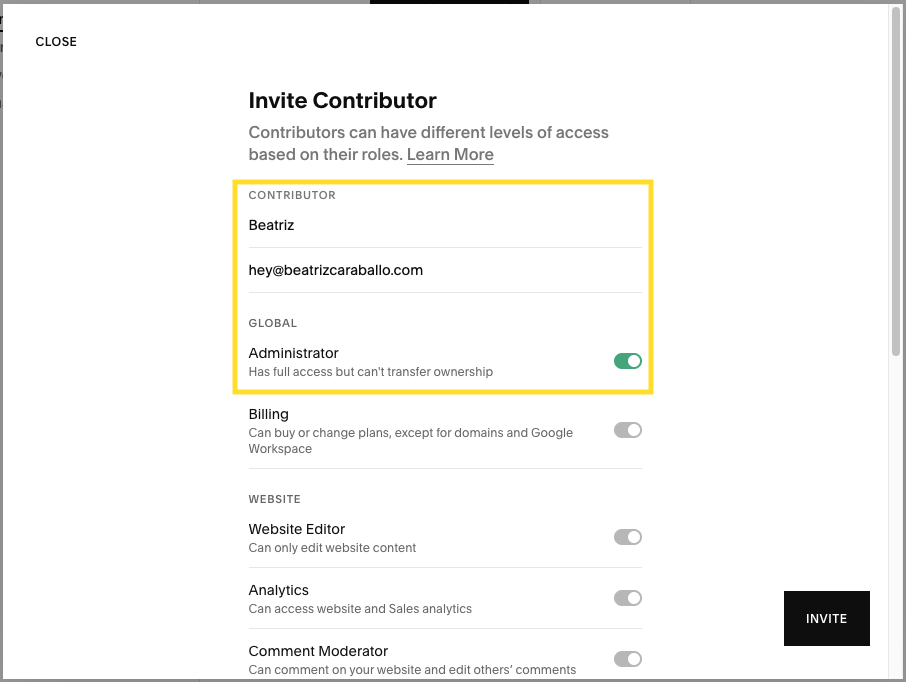
Click on “Invite Contributor”, add hey@beatrizcaraballo.com, toggle on “Administrator” and click on “Invite”.
2. Backup
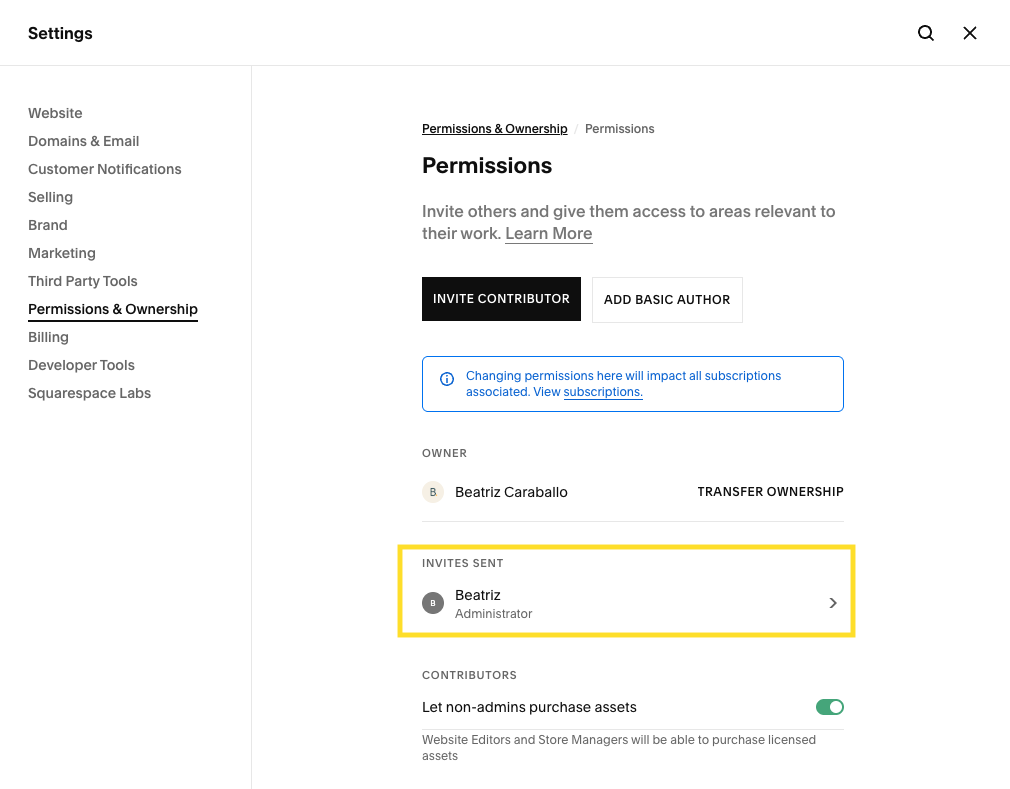
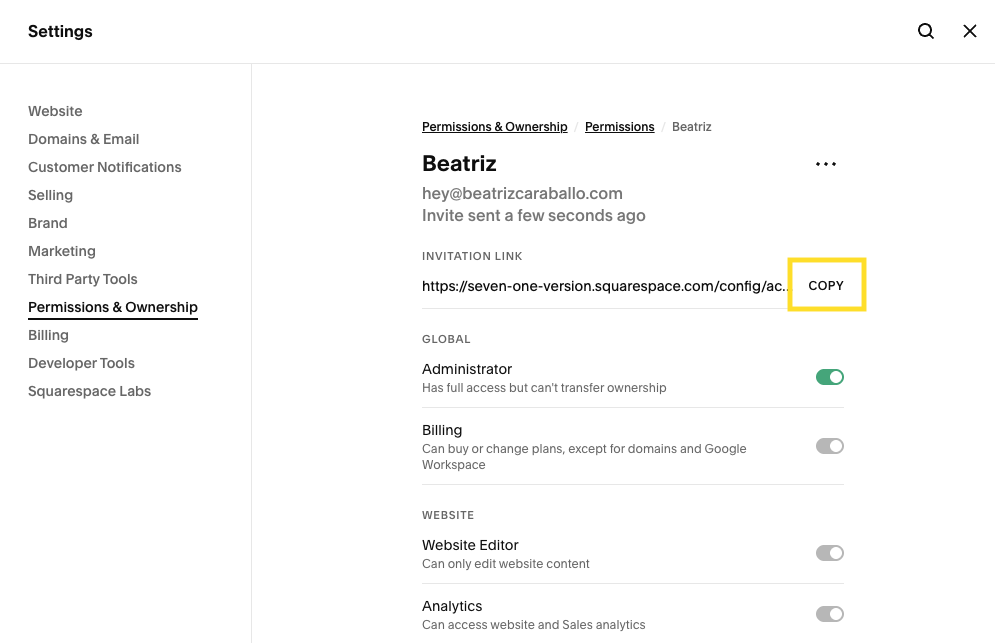
Head back to the Permissions & Ownership panel, click on the new invite sent and copy the link shown near the top.
Send the link via email to hey@beatrizcaraballo.com.
Thank you!
I look forward to working with you.
B.